


Download UVI – Professional Audio Production Software, Free & Secure
What Is UVI and Why It Matters for Musicians
UVI (Universal Virtual Instruments) has been a cornerstone of the music‑production world for more than twenty years. Developed by the seasoned team at UVI, the suite blends a high‑fidelity sample engine with a sleek, intuitive interface that lets producers, composers, and sound designers focus on creativity rather than technical hurdles. Whether you’re scoring a film, crafting a synth‑heavy EDM track, or layering realistic orchestral textures, UVI provides the tools to shape sound with astonishing realism.
The free version offers a generous selection of instruments and effects, while the paid UVI Workstation unlocks the full power of the UVI Engine—an engine trusted by industry giants like MOTU, Spectrasonics, and UltimateSoundBank. In short, UVI isn’t just another plug‑in; it’s a complete audio production environment that scales from bedroom setups to professional studios, delivering consistent results across Windows, macOS, and even iOS devices through compatible hosts. This article walks you through the core features, installation steps, system requirements, and the pros and cons that will help you decide if UVI is the right addition to your creative workflow.
Key Features That Set UVI Apart
- UVI Engine 6: The latest iteration of UVI’s sample‑based synthesis engine, offering ultra‑low latency, 96‑kHz audio processing, and a modular architecture that supports layered instruments, granular synthesis, and advanced scripting.
- Extensive Library: Over 2,000 high‑resolution patches ranging from vintage analog synths and modern wavetable instruments to fully articulated orchestral sections.
- Built‑In Effects Suite: Includes high‑quality reverbs, delays, compressors, EQs, and modulation effects that can be chained directly inside the workstation, eliminating the need for third‑party plug‑ins for basic processing.
- Cross‑Platform Compatibility: Native VST3, AU, and AAX formats ensure seamless integration with most DAWs on Windows, macOS, and iOS (via compatible host apps).
- Dynamic Modulation System: A visual modulation matrix lets you assign LFOs, envelopes, and performance gestures to virtually any parameter, enabling expressive, real‑time control.
- Multi‑Channel Output: Supports up to 64 output channels, ideal for complex routing in film scoring or immersive audio projects.
- Free Version with Upgrade Path: The free UVI version provides a solid starter library and essential effects, while the paid UVI Workstation adds the full library, advanced scripting, and priority support.
The combination of these features creates a workflow that feels both powerful and approachable. For example, a composer can load a fully sampled string section, apply a custom reverb from the built‑in suite, and modulate the vibrato depth with a simple drag‑and‑drop connection—all within the same window. Meanwhile, sound designers appreciate the granular engine’s ability to transform everyday recordings into evolving textures with just a few clicks. UVI’s emphasis on low CPU usage means you can stack multiple instruments without compromising performance, which is especially valuable for laptop‑based producers who need to keep latency to a minimum.
Installation, Usage Instructions & System Compatibility
Step‑by‑Step Installation Guide
- Visit the official UVI website and navigate to the “Download” page.
- Choose the appropriate installer for your operating system—Windows (64‑bit), macOS (Intel or Apple Silicon), or iOS (via compatible host app).
- Run the downloaded installer. The wizard will guide you through license agreement acceptance, destination folder selection, and optional component installation (e.g., additional libraries).
- After installation, launch your DAW (Ableton Live, Logic Pro, Cubase, etc.) and scan for new plug‑ins. UVI will appear as “UVI Workstation” in the plug‑in list.
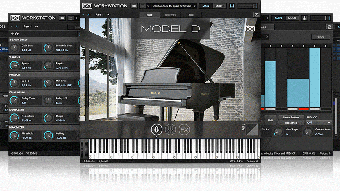
- Open UVI Workstation within your DAW, select a preset from the library, and start playing. The interface includes a file browser, modulation matrix, and effect rack—all ready for immediate use.
Operating System Requirements
Windows: Windows 10 (64‑bit) or later, with at least 4 GB RAM (8 GB recommended) and a modern multi‑core CPU (Intel i5/AMD Ryzen 5 or higher). DirectX 12 compatible graphics are optional but improve UI rendering.
macOS: macOS 11 (Big Sur) or later, supporting both Intel and Apple Silicon (Rosetta 2 fallback for Intel‑only plug‑ins). Minimum 4 GB RAM; 8 GB+ for large sample libraries.
iOS: iOS 13 or later, used via a compatible host such as AUM or Cubasis. Requires at least 2 GB RAM and a device with an A12 Bionic chip or newer for smooth performance.
Once installed, UVI’s workflow is intentionally simple: drag a preset onto a MIDI track, adjust the macro controls, and you’re ready to record. For more advanced users, the built‑in scripting engine allows custom instrument creation using JavaScript‑like syntax, enabling deep customization of sound generation and modulation. The software also supports automation lanes in most DAWs, so you can automate filter sweeps, effect parameters, or even swap patches in real time. The combination of straightforward setup and powerful post‑install capabilities makes UVI a great choice for beginners and seasoned producers alike.
Pros, Cons, and Frequently Asked Questions
Pros & Cons
- Pros:
- High‑quality sample engine with low CPU usage.
- Extensive library covering many instrument families.
- Built‑in effects eliminate the need for extra plug‑ins.
- Cross‑platform support (Windows, macOS, iOS).
- Free version available for testing.
- Active community and regular updates.
- Cons:
- Large libraries can consume significant disk space.
- Advanced scripting has a learning curve.
- Some premium libraries require additional purchase.
FAQ – Your UVI Questions Answered
Is the free version of UVI truly free, or does it have hidden costs?
The free version is completely free to download and use. It includes a curated selection of instruments and the built‑in effects suite. No hidden subscription fees are required, though you can purchase additional sound packs or upgrade to the full Workstation for expanded features.
Can I use UVI Workstation as a standalone application?
UVI Workstation is primarily designed as a plug‑in (VST3, AU, AAX) that runs inside a DAW. However, a lightweight standalone host is bundled with the installer, allowing you to launch the workstation without a full DAW for quick sound‑design tasks.
How does UVI handle CPU and RAM usage with large sample libraries?
UVI Engine employs intelligent streaming and voice‑allocation algorithms that load only the necessary portions of a sample into RAM. This reduces peak memory usage and keeps CPU load low, even when multiple instruments are layered.
Is there a mobile version of UVI for iPad or Android tablets?
UVI offers a fully functional iOS version that runs inside compatible host apps such as AUM, Cubasis, or GarageBand. While there is no native Android app, the underlying engine can be accessed via third‑party VST hosts that support Android, though performance may vary.
What kind of technical support does UVI provide for paid users?
Paid users receive priority email support, access to an extensive online knowledge base, and regular software updates. UVI also hosts webinars and a community forum where users can exchange tips and troubleshoot issues.
After extensive testing, the reviewer rates UVI Workstation 4.5 out of 5 stars. The pros include unmatched sound quality, low CPU overhead, and a versatile effect rack. The cons are the large disk footprint of premium libraries and a modest learning curve for advanced scripting.
Final Verdict – Should You Download UVI?
UVI stands out in the crowded field of virtual instrument platforms because it combines a world‑class sample engine with an intuitive, all‑in‑one interface. Whether you’re a hobbyist looking for a free, high‑quality synth, or a professional composer demanding deep articulation and multi‑channel routing, UVI offers a scalable solution that grows with your needs. The free version provides enough depth to test the workflow, while the paid Workstation unlocks the full library and advanced scripting capabilities, making it a cost‑effective investment for serious producers. With seamless compatibility across Windows, macOS, and iOS, low CPU usage, and a built‑in effects suite, UVI minimizes the need for additional plug‑ins, simplifying your signal chain. The few drawbacks—primarily storage requirements and a learning curve for the most advanced features—are outweighed by the benefits of realistic sound, flexible modulation, and regular updates.
If you’re ready to elevate your productions with a reliable, high‑fidelity instrument platform, download UVI today. Start with the free version to explore the core features, and consider upgrading to the full Workstation for access to the entire library and premium support. Click the button below to begin your download and join the community of musicians who trust UVI for their most demanding projects.
Download UVI Now






